 RepPlate
Track your plate and your reps.
Log your meals in seconds, or just say what you ate. Cook from recipes built for your goal, count your reps with your phone's camera, and get calorie targets that adapt to you. Food, training and progress in one simple app.
No download needed: it runs in your browser and installs to your home screen like an app. No account needed to start.
Everything for eating well and training at home
One app for your food, your workouts and your progress. No gym, no extra gadgets, no download.
Log food the way you actually eat
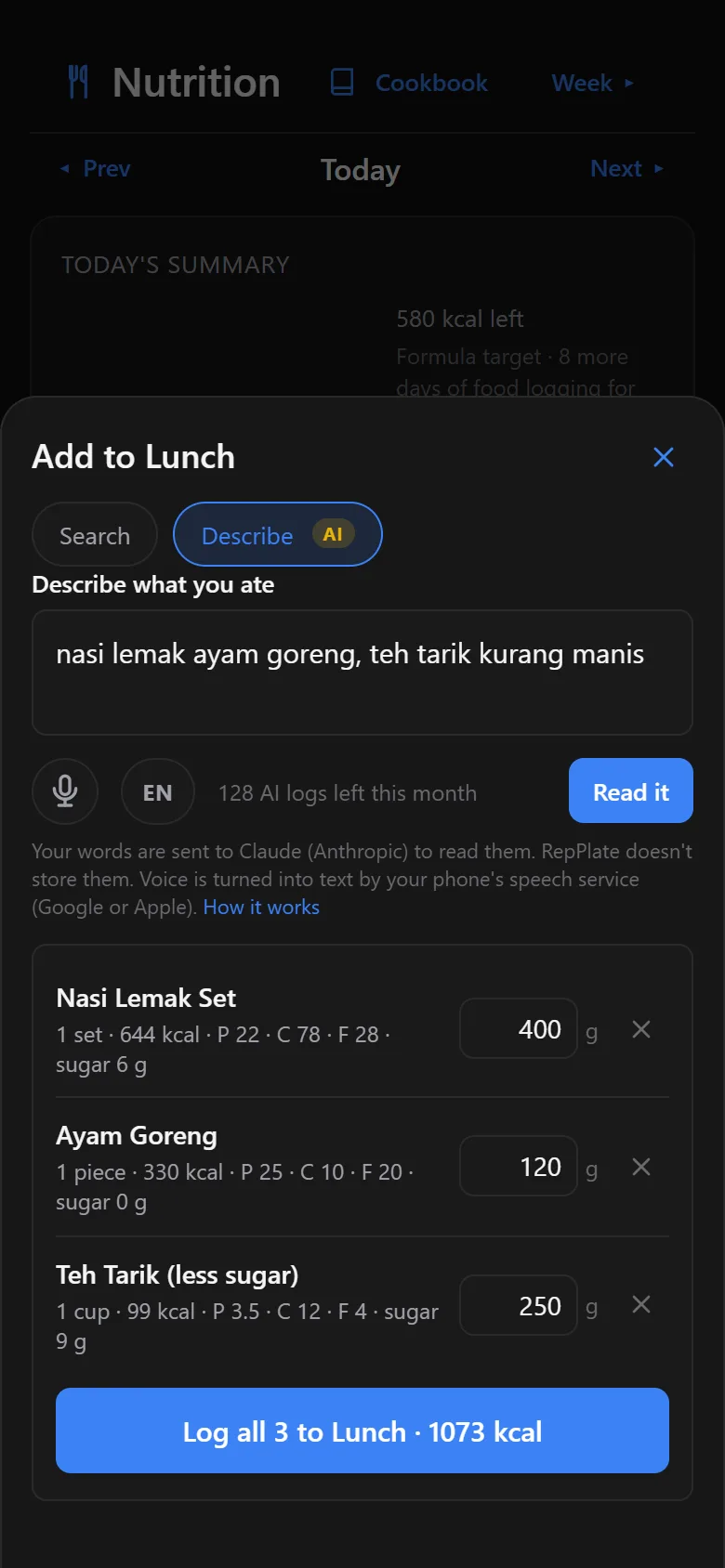
A library of 300+ foods with real-world portions, from everyday staples and fast food to café drinks, desserts and dishes from across Asia, the Middle East, Europe and the Americas.
- Search by English or local name: "pho", "shawarma" and "板面" all work
- Your recent foods and "copy yesterday's lunch" for one-tap logging
- Added sugar tracked against the WHO daily limit, with a "High sugar" flag on sweet drinks and desserts
- Anything not in the library? Type it in from the label or your own recipe
Just say what you ate
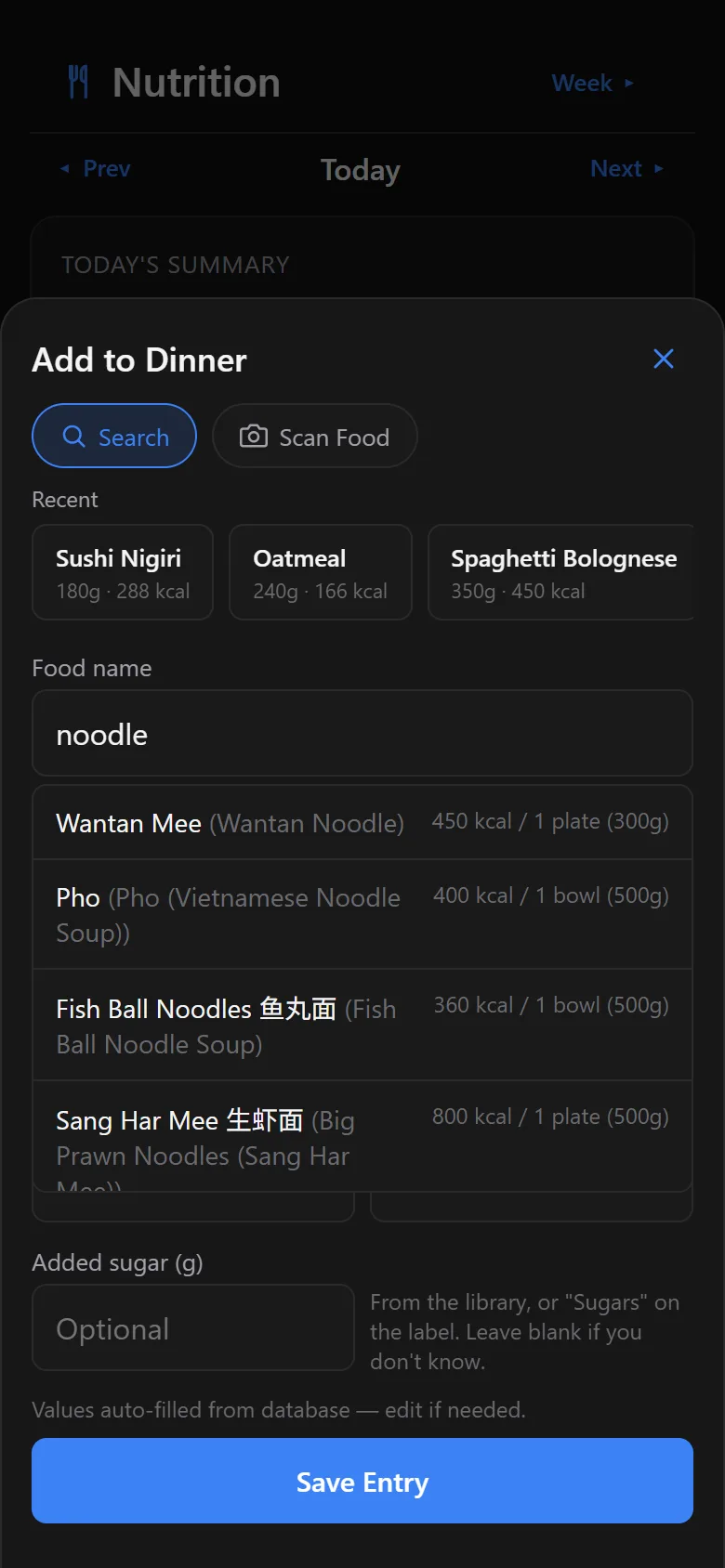
Type or speak your meal the way you'd say it to a friend, in English, Bahasa Melayu or a mix. "Nasi lemak ayam goreng, teh tarik kurang manis" becomes three entries with portions, calories and sugar, ready to check and log.
- Matches foods in the library with their real numbers; anything else gets an estimate, clearly marked
- Understands kurang manis, kosong, "half plate" and "shared with 2 friends"
- Tap the mic and speak, in English or BM
- Check the list, change an amount, and log it all in one tap
150 a month with Pro; free accounts get 5 a month to try it. Search and manual logging are always there too.
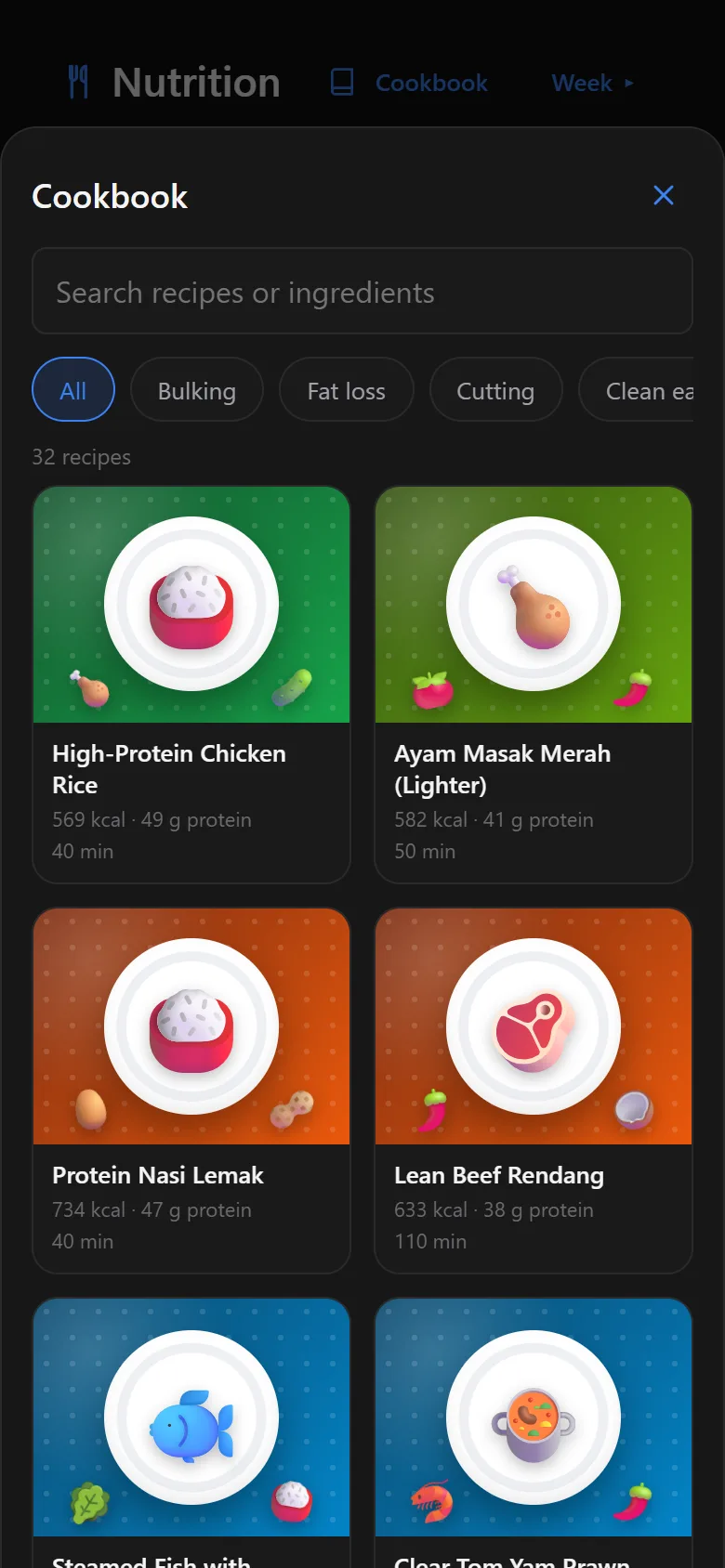
Recipes that fit your goal
30+ recipes for bulking, fat loss, cutting, clean eating and vegan diets, from protein nasi lemak and lean beef rendang to homemade protein shakes and a Milo protein drink.
- Calories, protein, carbs, fat and added sugar per serving, worked out from the ingredients
- Ingredients that scale to the servings you need, with step-by-step instructions
- A cooking video for every recipe on YouTube, one tap away
- Ate it? Log a serving to your day in one tap
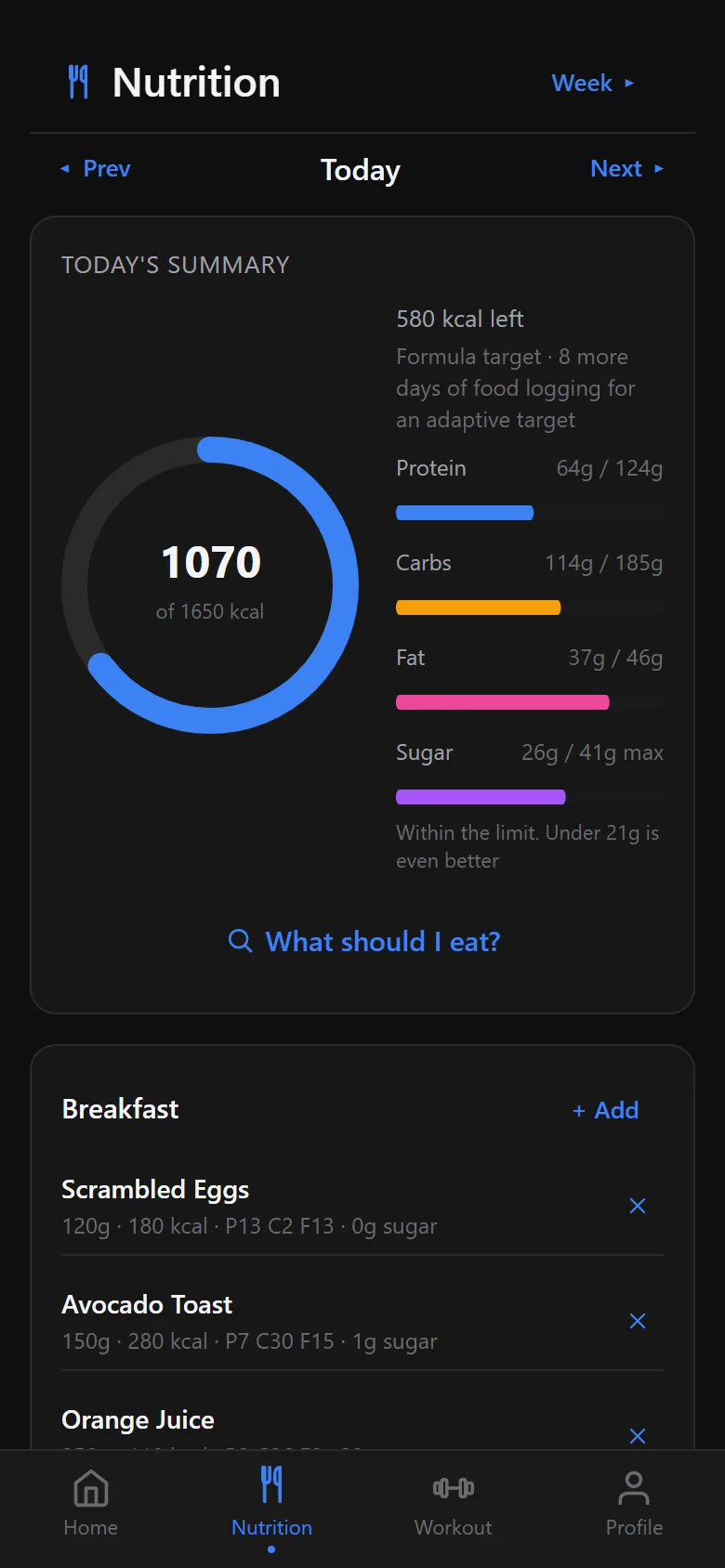
Know exactly where you stand today
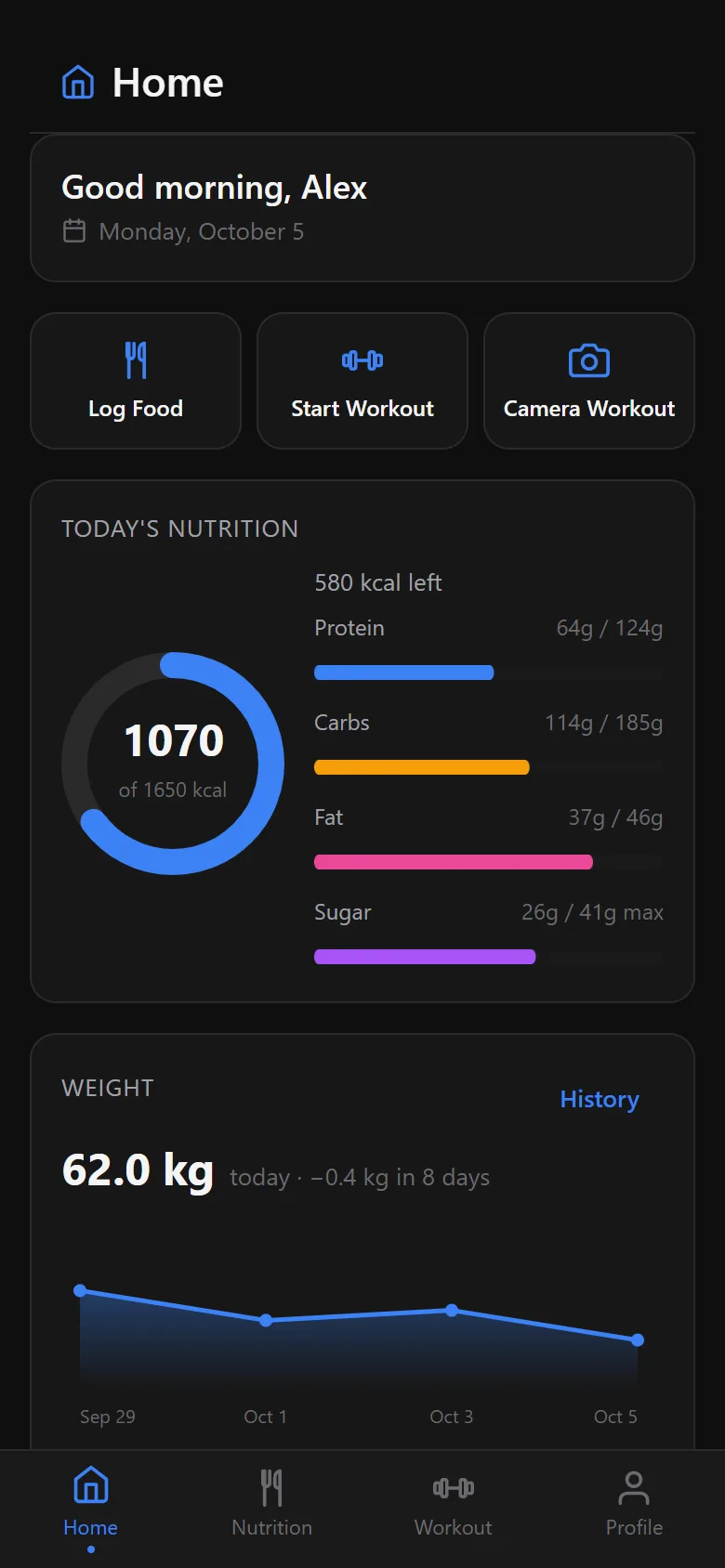
Your calorie, protein, carb and fat targets come from your goal and body, and you see at a glance what's left.
- Weight log with a trend chart
- Adaptive targets that learn your real burn from your weigh-ins and logging PRO
- "What should I eat?" picks foods that fill your remaining macros PRO
- A weekly report every Monday: your week's food, training and weight at a glance, and an image to share
- Weekly highlights and a tip for the week ahead PRO
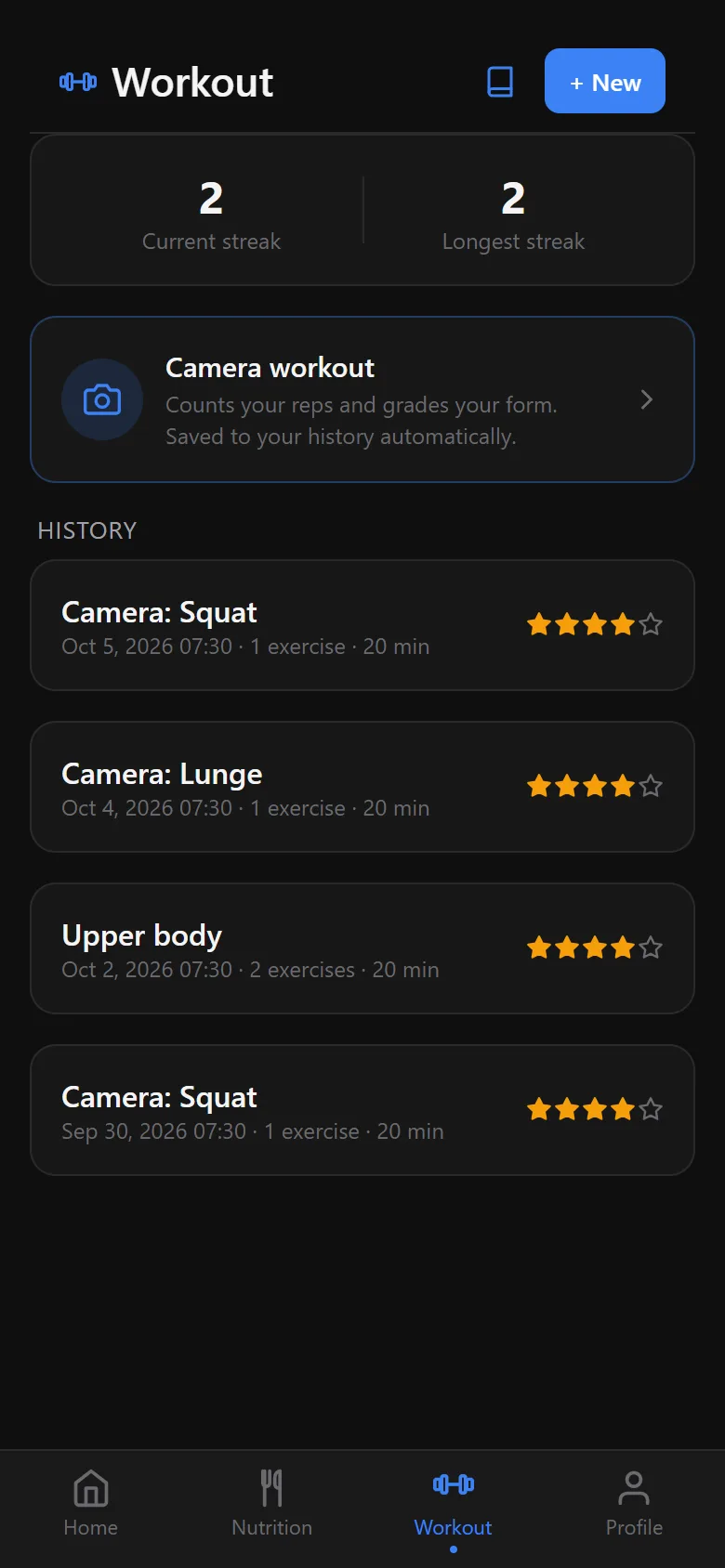
Your camera counts the reps
Prop up your phone and start a set: RepPlate counts your reps (or times your plank), gives form tips as you go, and saves the workout for you.
- Squats, push-ups and planks free; lunges, glute bridges, bicep curls, deadlifts and mountain climbers with Pro
- Form scores and grades for every set PRO
- Walks, runs and rides too: log the time, distance and steps, and see your pace and calories burned
- Workout history and streaks, plus manual logging for anything else
- Private by design: the camera is processed on your phone. Video is never uploaded or saved.
Coach your clients in the app they already log in
See every client's food, training and weight in one place, spot who needs you today, and adjust their plan without chasing screenshots or spreadsheets. Free for up to 3 clients.
- Know who needs you. Your client list flags anyone who hasn't logged for days, missed an assigned workout, went over the sugar limit, or whose weight is moving the wrong way for their goal, and puts them at the top.
- See each client's day. Meals with calories, protein, carbs, fat and added sugar, workouts, weigh-ins and their weight trend.
- Weekly report for every client. The week's numbers, highlights compared with the week before, and a suggested focus for next week: ready-made talking points for check-ins.
- Set their targets. Daily calories, protein, carbs and fat. The client's app switches to your numbers straight away, marked "Set by your coach", with your note.
- Assign workouts. Pick a day and the exercises; the client sees it on their Home screen, ticks it off, and it's logged for both of you.
- Notes on any day. A short thread for feedback and questions, right next to that day's food and training.
2 need attention
Illustration with made-up clients
Turn on Coach mode
In the app: Profile → Coaching → "I'm a coach". Works with a free account.
Send an invite code
Tap "Invite a client" and share the RP-code on WhatsApp or anywhere else.
Your client says yes
They enter the code, see exactly what they're sharing, and agree. They appear in your client list right away.
If you're the client
You decide what's shared
Before you connect, you see who the coach is and exactly what they'll see. Remove your coach any time in Profile and their access ends immediately.
Guidance, not control
Your coach can't change your logs. They can set your daily targets (shown as "Set by your coach"), and assign workouts and leave notes that appear on your Home screen under "From your coach".
Free for up to 3 clients. Plans for bigger client lists are on the way.
Your data stays yours
Start without signing up. Create an account only if you want a backup and sync across devices.
Works without an account
Everything is stored on your phone until you choose to create an account.
Camera stays on your phone
Rep counting runs on your device. Only the numbers (reps, scores) are saved, never video.
Export or delete any time
Download all your data, or delete your account and everything in it, from Profile.
Simple pricing
Logging is free, always. Pro adds the features that make decisions for you.
Free
RM 0
No card needed
- Food logging with the full 300+ food library
- Calorie, macro and added-sugar tracking
- Cookbook with 30+ recipes
- Weight log and trend, weekly report
- Camera reps for squats, push-ups and planks
- Workout logging, history and streaks
- Coaching with your coach (free for coaches up to 3 clients)
- Optional account: backup, sync, export
- 5 AI food logs a month to try it
Pro
RM 12.90 / month
or RM 119.90 / year (save 22%) · 7-day free trial
- Everything in Free
- All 8 camera exercises
- Form scores and grades for every set
- Adaptive calorie targets that learn from your progress
- "What should I eat?" meal suggestions
- AI food logging: describe or say a meal, 150 a month
- Weekly highlights and tips
Prices are in Malaysian ringgit (RM, currency code MYR), and you can subscribe from any country: your card provider converts the charge to your currency and may add a foreign-transaction fee. Subscribe in the app under Profile → Plan; cancel any time from Manage subscription. Changed your mind? Email us within 7 days of a charge for a full refund (Refund Policy).
Install on iPhone
- Open RepPlate in Safari
- Tap the Share button
- Choose Add to Home Screen
Install on Android
- Open RepPlate in Chrome
- Tap the ⋮ menu
- Choose Install app or Add to Home screen
Questions
Is RepPlate really free?
Yes. Food logging, the cookbook, targets, sugar tracking, the weekly report, workouts, three camera exercises and coaching are free with no time limit. Pro is optional.
Do I need to create an account?
No. Without an account everything stays on your phone. An account adds a backup and lets you use RepPlate on more than one device, and you need one to subscribe to Pro or to link with a coach.
How does AI food logging work?
Type or say what you ate, in English, Bahasa Melayu or a mix of both. RepPlate matches it to foods in its library and their portions; anything not in the library gets an estimate, clearly marked. You check the list, change amounts if needed, and log it in one tap. Your description is read by Claude, an AI model made by Anthropic, and isn't stored. Details are in the Privacy Policy.
Where do the recipes' numbers come from?
Each recipe's calories, protein, carbs, fat and added sugar are worked out from its ingredients and amounts, using standard nutrition data. Your version will vary a little with brands and portions, and you can adjust the amount when you log it.
Is my camera video uploaded anywhere?
Never. Pose tracking runs entirely on your phone. RepPlate only keeps the results, like rep counts and form scores.
Can I use RepPlate in my country?
Yes. RepPlate works in any modern browser on iPhone, Android or a computer, anywhere in the world. The app is in English, and the food library covers dishes from many cuisines; anything missing you can add yourself.
I'm a personal trainer. How do I add my clients?
Create a free account, go to Profile → Coaching and tick "I'm a coach", then tap "Invite a client" and send them the code. Once they accept, you'll see their food, workouts and weigh-ins, can set their targets, assign workouts and leave notes. Coaching is free for up to 3 clients.
How accurate are the food values?
They're typical portions based on published nutrition data and standard recipes. Restaurant and street-food portions vary, so you can always edit the amount or the numbers before saving.
How do I cancel Pro?
In the app: Profile → Plan → Manage subscription. You keep Pro until the end of the period you paid for. If you were charged in the last 7 days and want your money back, email us. See the Refund Policy.